Table of Contents
1. Which Commuter Accessories Do You Actually Need?
The commuter accessories worth carrying are the ones that solve a real problem on your own route, not every item that appears on a popular gadget list. Usefulness depends on five things: how you travel, how long the trip takes, how much weather you face, what technology you rely on, and how much you can comfortably carry.
Each factor changes the answer in a specific way. The way you travel decides whether your load sits on your shoulders, in a vehicle, or on a bike. Trip length decides whether a dead phone is a minor annoyance or a real problem. Weather exposure decides whether rain protection is a daily item or a seasonal one. Technology needs decide whether you need charging gear at all, since someone who carries only a phone and keys has very different needs from someone who brings a laptop, tablet, and earbuds. Carrying capacity is the final limit, because every accessory competes for the same space and weight budget.
This guide separates a small core kit from optional add-ons. A core item is something most commuters in a given situation will use on most days, such as a bag that fits their belongings or a way to keep a phone charged. An optional item solves a narrower problem, such as a key finder for someone who regularly misplaces keys. A simple test works for both: if you cannot name the problem an item solves on your commute, leave it out for now.
Before buying anything, look at what you already own. Many commuters already have a usable bag, a spare cable, or a compact umbrella, and the best first step is often rearranging what is in the bag rather than adding to it. Writing down what you carry on a typical weekday, and noting which items you actually reached for, shows which problems are real and which are only imagined. That list becomes the starting point for the rest of this guide.
No single list fits everyone. A subway rider with a laptop, a driver who rarely carries more than a phone and keys, and a cyclist who rides in the rain need different things. The sections below start with the commute itself and only then move to specific accessories, so you can skip what does not apply to you.
2. Start With Your Commute, Not a Shopping List
Each way of getting to work or school puts different physical and environmental demands on what you carry. Matching your kit to your actual route removes a lot of unnecessary weight and duplication.
Public transit and train commuters
Subway, bus, and train riders deal with crowded cars, changing temperatures between platforms and vehicles, and limited seating. Priorities include compact organization that keeps items from shifting in tight spaces, closures that keep belongings secure in a crowd, and enough portable power to cover navigation or ticketing during a delay. Weather protection needs to be easy to stow quickly when you move from an outdoor platform into a packed car.
Drivers and car commuters
Drivers need organization and convenience inside the vehicle more than wearable portability. Useful options include a charger that works with the vehicle’s power outlet and a console or door-pocket spot for small essentials. Anything within reach must never block controls, shift while the car is moving, or tempt you to handle a device while driving. Set up chargers, mounts, and storage before you start the trip, and check your state’s rules on phone mounts and handheld device use, since they vary.
Walkers and cyclists
Walkers and cyclists are exposed to weather and effort, but their needs differ. Walkers mostly benefit from a lightweight bag with comfortable straps and some weather protection, because the load is carried on the body for the whole trip. Cyclists need storage that stays stable while riding, protection for electronics from rain and road spray, and visibility: lights, reflectors, and reflective clothing. Lighting and reflector requirements differ by state and city; for example, the City of Madison, Wisconsin describes a white front light and a red rear reflector as required for night riding. Check the rules where you ride.
Mixed-mode commuters
If you combine walking with a train, or cycling with a subway line, lightweight and versatile gear usually beats specialized equipment. Bulky bags, rigid organizers, and heavy multi-port chargers become a burden when you are moving between vehicles, stairs, and sidewalks. Compact, modular organization is the better fit.
| Commute type | Main considerations | Accessories to consider | Key tradeoff |
|---|---|---|---|
| Public transit | Crowds, portability, temperature changes, phone power | Compact bag, slim power bank, small pouch for loose items | Portability versus storage capacity |
| Driving | Vehicle organization, in-car power, reach without distraction | Vehicle charger, console or door-pocket organizer | Easy reach versus items that can distract or shift |
| Walking | Weather exposure, carrying comfort, distance | Lightweight bag with padded straps, compact rain protection | Weather protection versus ventilation and weight |
| Cycling | Rain and road spray, load stability, visibility | Stable bag or rack storage, lights and reflective gear, protection for electronics | Stability and visibility versus added weight and setup |
| Mixed-mode | Quick transitions, weight, versatility | Lightweight daypack, compact organizer | Versatility versus specialized features |
3. The Core Commuter Accessories Worth Considering First
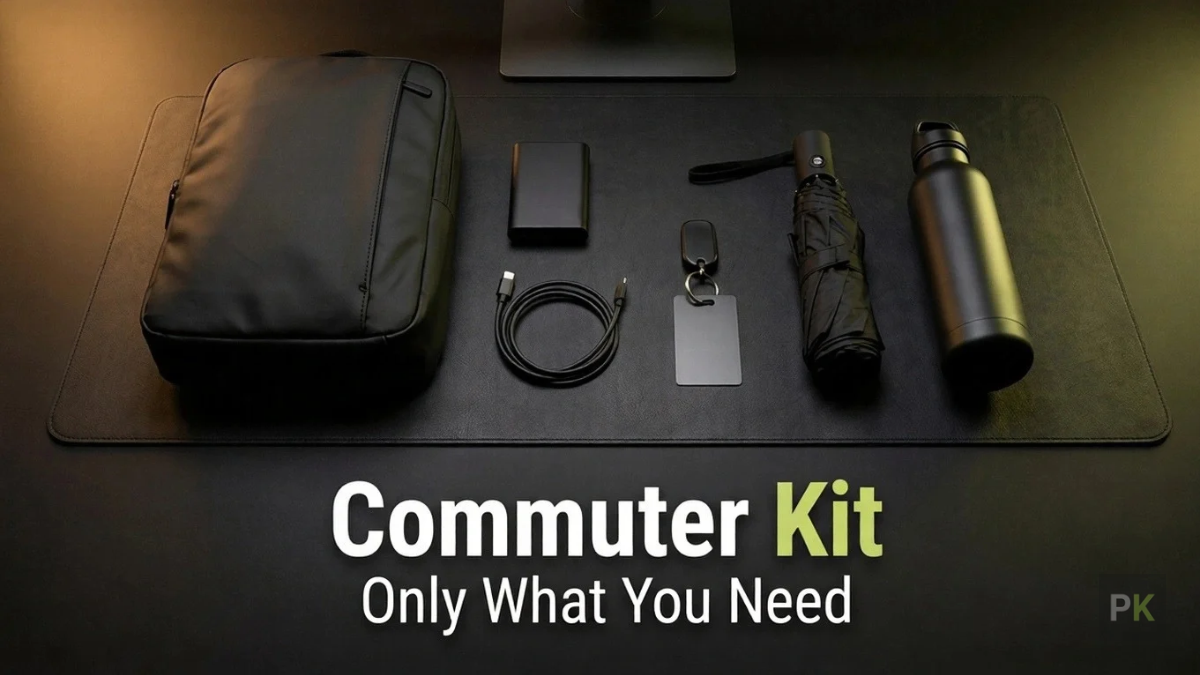
A practical everyday carry kit starts from a minimal baseline. Each item below is conditional: it earns its place only if it matches a need on your own commute.
A suitable commuter bag or backpack
A bag is the foundation of the kit, and the right size depends on what you carry rather than on the biggest option available. Capacity is usually listed in liters, but a number alone says little about how a bag carries. Compare the empty weight, the laptop compartment dimensions (usually stated as the largest laptop it fits, so check them against your own device), and whether pockets let you reach a transit pass or keys without unpacking. If you do not carry a laptop every day, a smaller bag may be more comfortable. Weather resistance describes the fabric or coating, not a guarantee that contents stay dry; the weather-protection section below explains why.
A portable power bank and compatible charging cable
A power bank helps when your phone handles navigation, transit tickets, and messaging and you cannot count on an outlet. If your phone comfortably lasts the whole day, you may not need one. When comparing models, look at capacity in milliamp-hours (mAh), output wattage, port types, and weight, since a larger battery is also a heavier one. Make sure the cable matches both the power bank’s port and your phone’s connector. For a deeper comparison, see what to look for when buying a portable charger.
If flying is part of your routine, power banks follow separate rules. The FAA’s lithium battery guidance says spare batteries, including power banks, must travel in carry-on bags, not checked bags, and that you must pull them out of a carry-on if it is checked at the gate. Their terminals should be protected from short circuits, for example by leaving them in retail packaging or using a protective case or bag. Rechargeable lithium-ion batteries are limited to 100 watt-hours (Wh) each, and larger ones in the 101–160 Wh range need airline approval, with a two-battery limit; the TSA describes the same exception. To estimate watt-hours, multiply volts by amp-hours (divide mAh by 1,000 to get amp-hours); many batteries print the Wh figure on the case. The FAA also notes that airlines may set stricter limits on how many power banks you carry, so check your carrier before you fly.
A compact cable or tech organizer
Keeping cables, adapters, and small accessories together prevents tangles and makes them easier to find. But a separate pouch is often redundant if your bag already has slip pockets or elastic loops. Count what you actually carry first: one cable and a power bank may need no organizer at all, while several cables, a wall adapter, and earbuds usually do. A pouch only helps if it saves more time than it costs in bag space.
Weather protection for you and your belongings
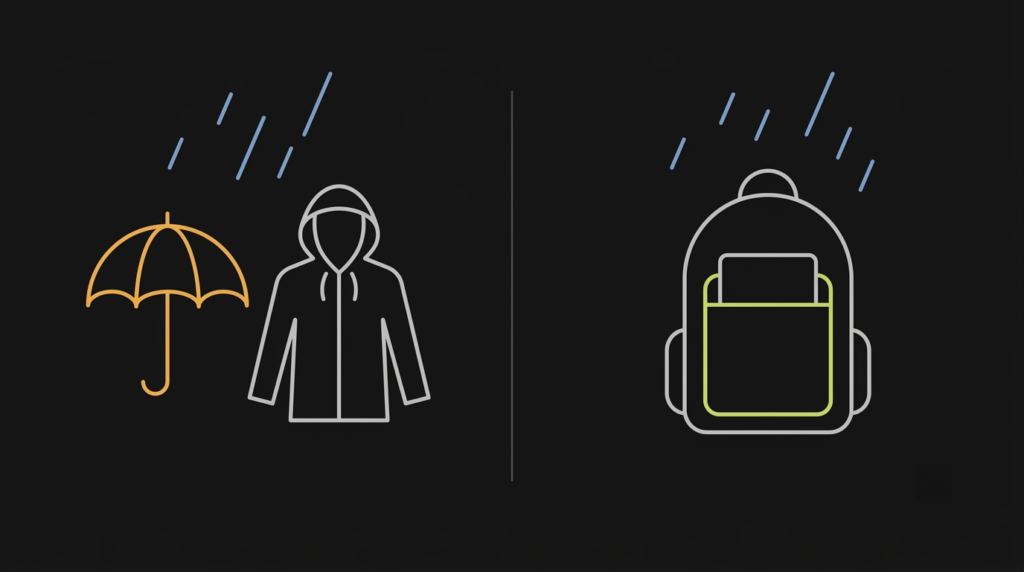
Keeping yourself dry and keeping your belongings dry are separate problems. A rain jacket or umbrella protects you; your electronics and documents depend on the bag, an inner compartment, or a sealed sleeve. Manufacturers use words like “water-resistant” and “waterproof” inconsistently, so look for specific construction details such as sealed seams or a roll-top closure, or a stated rating.
For electronics, the most useful rating is the IP code defined in the IEC 60529 standard. In the water-protection digit, IPX4 means splash resistance and IPX7 means temporary immersion. A rating describes performance under defined test conditions, not unlimited exposure, so it is not a promise that a device will survive a long walk in heavy rain.
A reusable water bottle, if practical
A bottle is worth carrying only if you will drink from it and can refill it somewhere along the way. Weight adds up quickly: a full 20-ounce bottle holds more than a pound of water before counting the bottle itself. A heavy steel bottle can be tiring on a long walk or in a crowded train. If your route has reliable refill stations, a smaller or lighter leak-proof bottle that fits an exterior pocket without shifting is often enough.
A simple system for keys and small essentials
Keys, ID badges, and transit passes are the items most likely to be lost at a turnstile or checkpoint. A lanyard, clip, or dedicated pocket that you use every day is usually enough. Habit matters more than hardware here: always returning them to the same place prevents more losses than any gadget. An electronic tracker is an optional extra, covered below, not an everyday requirement.
4. Optional Accessories That Solve Specific Problems
These items address narrower needs. Add one only if it fixes a problem you run into repeatedly.
Earbuds or headphones
Audio gear can help you focus or block noise, and the right choice depends on comfort over a long trip, battery life for wireless models, and whether you prefer noise cancellation or an ambient mode that lets outside sound through. Awareness matters more than features when you are walking or cycling, because traffic sounds are part of staying safe, and an ambient mode or a single earbud can keep more of your surroundings audible. If you ride a train or bus, noise cancellation is more useful; on foot or on a bike, awareness usually matters more.
Legal limits depend on where you are. A FindLaw overview reports that there is no federal rule on headphones while driving, that some states prohibit them entirely, that others allow a single earpiece, and that many have no restriction. Because those rules differ and change, check your state’s current law before wearing headphones while driving or cycling.
A compact umbrella or weather-resistant storage
An umbrella makes sense if your route includes a significant outdoor walk between connections. If you already wear a hooded rain jacket, it may be redundant, and it is not suited to cycling. Look for a compact design that fits an exterior pocket, since it will be wet when you put it away. A waterproof document sleeve is a lighter alternative when the main concern is keeping papers dry rather than keeping yourself dry.
A key finder or tracking device
Bluetooth trackers help you find misplaced keys, bags, or wallets. Compatibility is the first thing to check, because many trackers depend on a specific phone platform and finding network. According to a buying guide from a tracker seller, trackers built for Apple’s Find My network work with iPhone and iPad but not Android, Android users should look for certification for Google’s Find Hub, and some models work only within one brand’s phones or run on their own network. The same guide notes that battery type varies: some trackers use a replaceable coin cell, others recharge, and some have a sealed battery. Treat these as points to verify on the product page, since models change.
Trackers help with misplaced items; they do not prevent theft or guarantee recovery, and they do not replace keeping your belongings secure. They make the most sense if losing keys or a bag is a recurring problem for you, and are easy to skip if you always keep keys in the same pocket.
Small comfort and personal-care items
Depending on your routine and climate, a few compact items such as hand sanitizer, lip balm, or medication you need during the day can make a commute more comfortable. Keep this group small. Each item adds weight and takes space from things you use more often.
5. How to Choose Accessories Without Wasting Money or Bag Space
A few consistent checks prevent most unnecessary purchases and keep your bag from filling with items that duplicate each other.
Check size, weight, and carrying capacity
Compare an accessory’s packed dimensions and weight against the pockets of the bag you already own. Bulky items take space from things you need on some days, such as groceries, gym clothes, or documents. If you can, weigh the item, or set it next to your current bag contents, before deciding it belongs in a daily kit.
Verify device compatibility and charging requirements
Check connector types such as USB-C, the output a charger or power bank provides, and what your own device accepts. Charging speed is typically limited by the weakest part of the chain, which can be the device, the cable, or the charger, so a high-output power bank may not charge a phone any faster. For phone-specific cases and chargers, see how to choose the right phone accessories for everyday use.
Balance portability, durability, and convenience
Lighter materials and smaller designs are easier to carry but may protect less or hold less, while sturdier construction adds weight you feel over a long walk. No option wins on every measure, so decide which one your commute makes most important and accept the compromise on the others.
Check weather-resistance claims and practical limitations
Compare any weather claim with its exact wording. A stated rating or a described construction detail tells you something; a general adjective in a product title does not. Then match it to your commute: a brief walk between a station and an office asks less of a product than a long ride in sustained rain.
Avoid duplicate accessories that serve the same purpose
Before buying, check what you already own. Common duplicates include extra cables, a second power bank, and an organizer inside a bag that already has pockets. Removing overlap lowers the weight and makes the bag easier to use.
6. What Belongs in Your Daily Bag—and What Does Not?
Frequency of use, not importance, is a useful way to sort what goes in the bag. Two other questions help with borderline items: what happens if you do not have it on a given day, and how much it weighs. A transit pass is both frequent and costly to forget, so it is always in. A power bank is heavy and only matters on long days, so it earns a place only on those days. A spare cable is light, but it duplicates one you already have, so it belongs at your desk or in a drawer rather than in the bag every day.
Keep in your daily carry kit
- Transit card, ID, or payment method you use every day.
- House and vehicle keys.
- Smartphone and one charging cable that works with it.
- Compact personal weather protection, if the forecast calls for it.
Add only for specific commutes or conditions
- Power bank, for long days away from outlets or heavy phone use.
- Laptop and its charger, for office or school days.
- Lunch or snacks in a leak-proof container.
- Lights and reflective gear for evening or cycling commutes.
Leave at home unless needed
- Extra cables and spare power banks.
- Oversized organizers and rarely used adapters.
- Heavy books or paper documents that you can carry digitally.
- Items meant for weekend trips or outdoor recreation.
Your lists will change with the seasons and your schedule. In wet months, rain protection moves from “add when the forecast calls for it” into the daily group, and in summer it may drop out. A heavier day with a laptop and lunch is a different load from a light day, so it helps to repack on purpose each morning rather than letting the bag accumulate items. A monthly check is a simple way to keep it honest: empty the bag, put back only what you used, and see what is left. Anything that stayed unused for a month is a candidate for the leave-at-home list, and you can always add it back if you miss it. The goal is to make the decision deliberately instead of by default. For other everyday items that may suit your routine, see everyday accessories that make daily life more convenient.
7. A Practical Commuter Accessory Checklist
Use this checklist after reading the rest of the guide. It condenses the earlier sections into three passes. First, match yourself to one row in the commute table and ignore the rest. Second, mark each core item as already owned, needed, or not applicable, remembering that a bag you already own may be perfectly good. Third, run the final check on anything you are thinking of buying. Nothing here adds new recommendations; it restates the decision points in a form you can reuse whenever your routine changes, such as a new job, a different transit line, or a change of season.
- Core items to consider:
- A comfortable, appropriately sized bag matched to how you travel.
- Keys, transit pass, and ID in a consistent spot.
- A compatible charging cable, and a power bank if your phone cannot last the day.
- Optional items based on commute type or conditions:
- Rain protection for you and a dry place for electronics.
- Headphones that suit your awareness needs and local rules.
- A tracker for items you often misplace.
- Final check:
- Compatibility: Do chargers and accessories match your devices?
- Weight: Is anything redundant or unused?
- Need: Does each item solve a specific problem on your route?
A useful outcome of this exercise is a short list, and sometimes an empty one. If your current bag, a single cable, and your keys already cover your commute, the right purchase is nothing. If two candidate items solve the same problem, the lighter or more compact one generally fits better in a daily kit, and if an item cannot be tied to a specific problem on your route, it is safer to wait until the problem shows up. Revisit the list when something about your commute changes, because the needs of a short walk differ from those of a long train ride, and the kit should follow the commute rather than the other way around.
Sources
- FAA PackSafe: Lithium Batteries
- TSA: Lithium Batteries More Than 100 Watt Hours
- Estonian Centre for Standardisation and Accreditation: The secret to waterproof phones
- West Marine: Understanding IP Ratings
- FindLaw: Is it illegal to drive with headphones?
- City of Madison: Riding at Night
- Tracker Mist: Bluetooth tracker buying guide (seller-published)
Last reviewed: October 17, 2026