What is a GaN charger, in one line: a power adapter built around gallium nitride (GaN), a semiconductor used in place of silicon inside the charger so the brick can be smaller, cooler, and more efficient.
If you have ever stared at a tiny charger block that claims to power a whole laptop, the confusion is reasonable. “GaN” sounds like marketing jargon, but it describes a real change in hardware. Below, the material is explained in plain terms, followed by a seven-step checklist for confirming that a specific charger fits your phone, tablet, or laptop.
Quick answer
- GaN changes the material inside the charger, not the charging speed. Speed depends on USB Power Delivery (USB-PD), your device’s own limit, and the cable.
- A charger fits you only when its USB-PD support, wattage, per-port output, and cable rating match your highest-power device.
- Technical claims come from Infineon’s GaN charger explainer, HP’s charger glossary, and the USB Promoter Group’s USB PD 3.1 announcement.
- Next step: work through the seven-step checklist below, starting with your largest device.
What Does GaN Mean? The Science Made Simple
GaN stands for gallium nitride, a semiconductor material. A charger’s basic job is to convert the alternating current (AC) from a wall outlet into the direct current (DC) that a phone, tablet, or laptop uses. Semiconductor switches inside the adapter do much of the work of that conversion, and conventional adapters build those switches from silicon. A GaN charger uses gallium nitride transistors instead, which is all the label literally says.
That substitution looks small on paper, but it changes what a designer can build. According to Infineon, a semiconductor manufacturer, the swap makes it possible to produce chargers that are smaller, cooler, and more efficient than silicon-based designs. The next section follows that chain step by step.
It also helps to know what the word does not cover. GaN describes the material inside the charger. It does not tell you how much power the unit can supply, which is its wattage. It does not tell you whether the charger speaks the USB Power Delivery protocol your laptop needs, or whether the product meets safety standards. GaN chargers range from roughly 30 W phone chargers up to laptop adapters, so the GaN label alone says very little about whether a specific model suits your device.
Why Are GaN Chargers Smaller Than Standard Adapters?
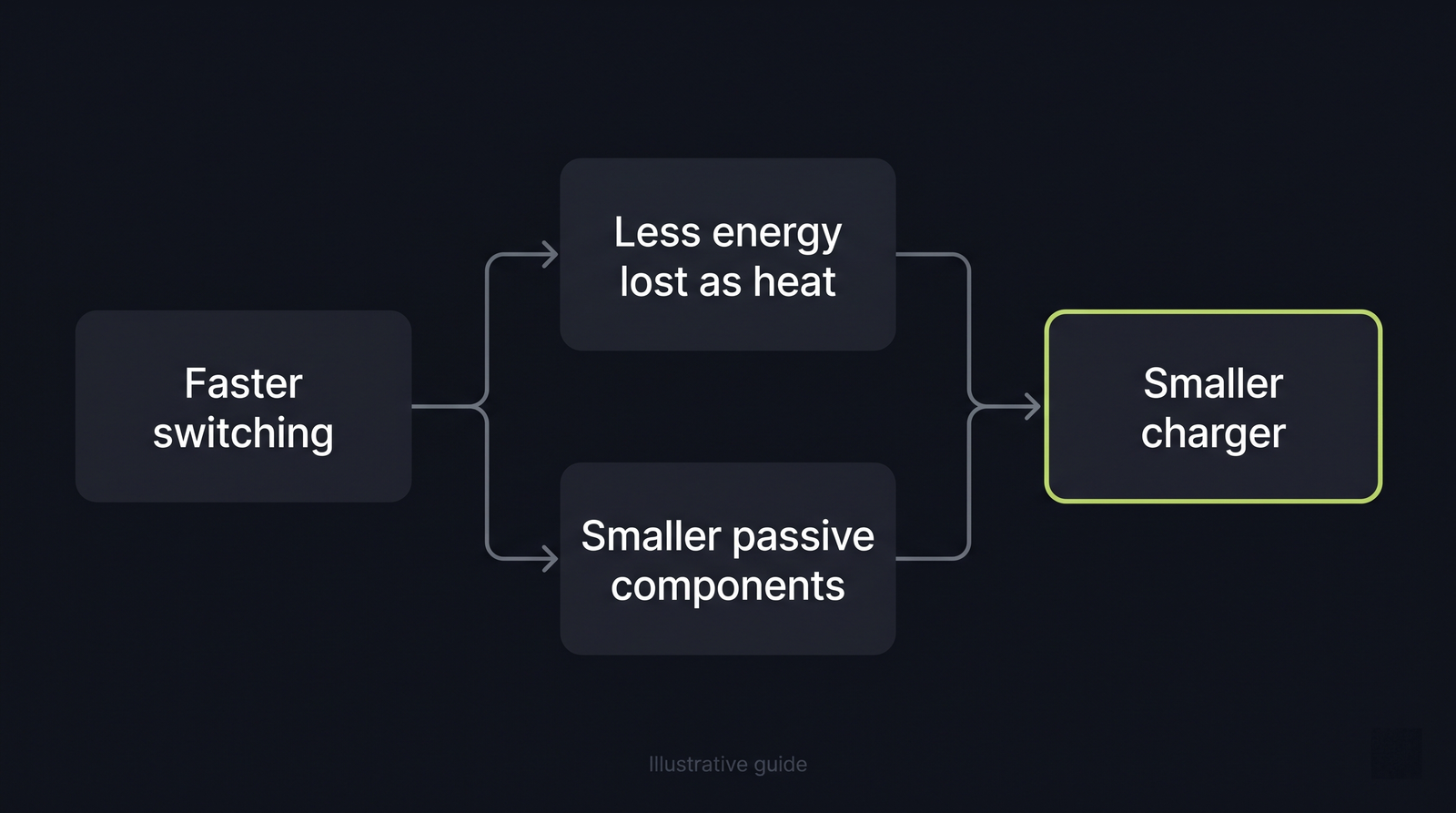
The size difference comes from a chain of effects rather than a single trick. Infineon reports that GaN power transistors switch significantly faster than conventional silicon ones, and the material’s wide bandgap helps reduce the energy lost along the way. Energy that is not lost does not turn into heat, so the charger has less heat to shed.
Faster switching has a second payoff. Raising the switching frequency allows much smaller passive components, such as transformers, according to Infineon. In practice, smaller parts that produce less heat can be packed more tightly, which is why the finished charger shrinks.
Infineon also reports that modern GaN chargers typically reach power densities of 9 to 18+ W/in³, meaning watts of output per cubic inch of charger. HP makes the same point in everyday terms: a GaN charger can be noticeably more compact than a silicon charger of the same wattage. For travelers, the main payoff is a smaller brick in the bag.
Two cautions keep those numbers in perspective. The power-density figure describes typical modern designs, not every GaN charger. And less heat is a design advantage, not a promise: how warm a charger gets still depends on the load, the ventilation around it, and the quality of the build.
Does a GaN Charger Automatically Charge Devices Faster?
No. Infineon states that GaN itself does not make charging faster; the charging protocol sets the speed. GaN changes how the charger is built, not what the charger and your device agree to.
That agreement is handled by USB Power Delivery (USB-PD). HP describes it as the standard that lets a USB-C charger and a device agree on the right voltage and current. The charger announces what it can supply, the device requests what it can accept, and the result is limited by whichever side offers less. The cable can lower the ceiling further.
The same mechanism explains why a charger with more capacity than your device needs is generally safe. According to HP, the device draws only the power it needs, so extra wattage on a USB-PD charger is headroom rather than pressure on the device, provided the cable and the device follow the standard.
USB-PD itself has two power ranges: the Standard Power Range (SPR) and the higher Extended Power Range (EPR), introduced with USB PD 3.1. The table below sets three common marketing claims against what the specifications say, and puts numbers on both ranges.
| Marketing claim | Technical reality | What to check |
|---|---|---|
| “Charges faster!” | GaN itself does not make charging faster. Speed is set by the charging protocol (USB-PD) and the device’s own power limits. | USB-PD support and the charger’s maximum wattage. |
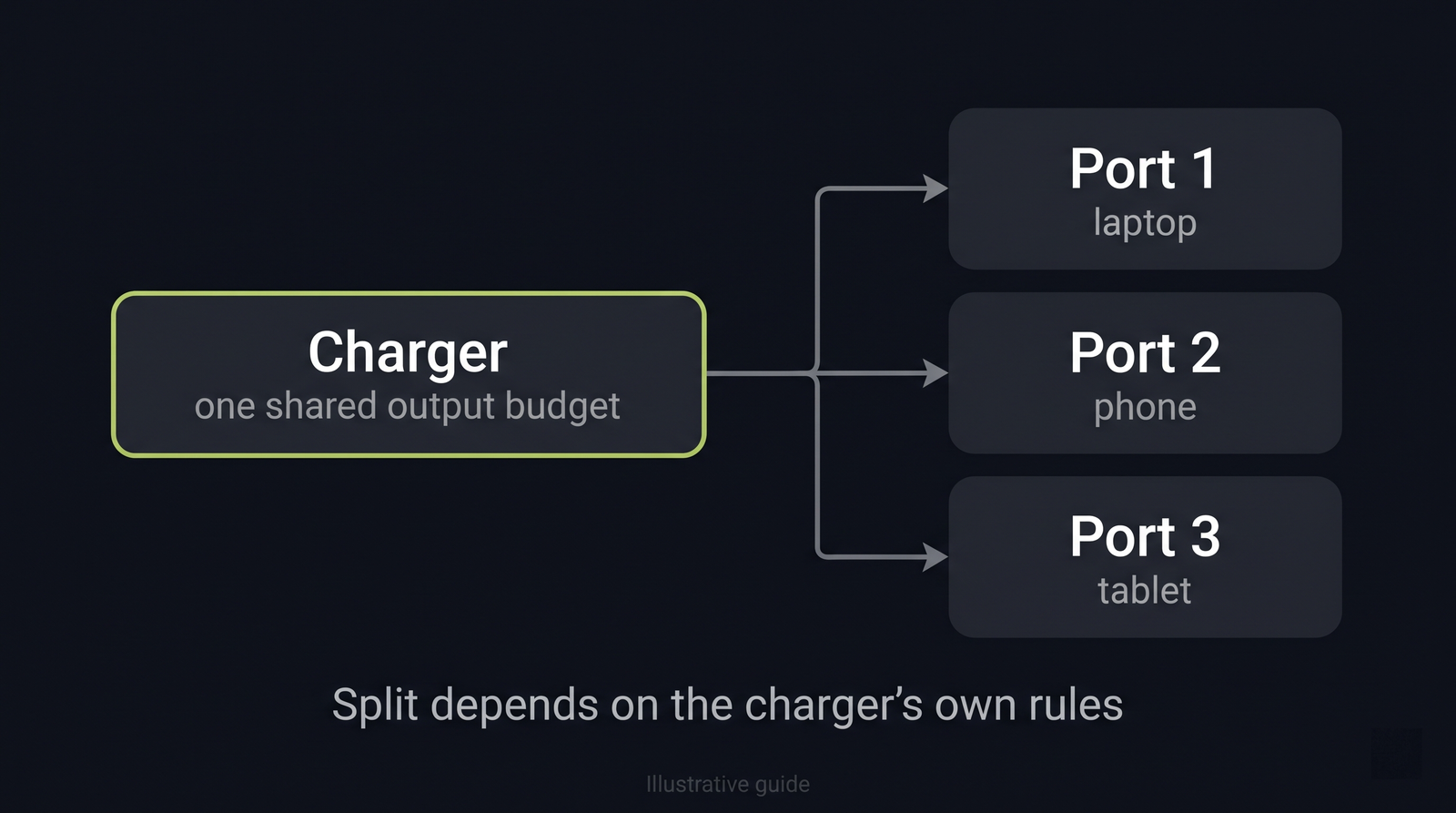
| “100 W output!” | On a multi-port charger, the listed wattage is usually the total across all ports, so an individual port may deliver less. | The per-port output, and how power is divided when several ports are in use. |
| “Works with everything!” | USB-PD covers up to 100 W in the Standard Power Range and up to 240 W through the Extended Power Range (EPR). Above the standard range, the charger, cable, and laptop must all support EPR, and the cable must be rated for 240 W. | The cable’s wattage rating, and EPR support on the charger, cable, and laptop. |
Because GaN is a material and USB-PD is a protocol, a charger can be built with one and lack the other. Treat them as two separate questions when you read a product page.
The GaN Charger Fit Checklist: 7 Steps to Choosing the Right One
Work through these seven steps in order. Each one narrows the choice, and none of them depends on a brand name.
- Identify your highest-power device. A laptop is usually the demanding one; phones and tablets typically need far less. Find the wattage your laptop requires in the laptop maker’s specifications, because every later step is measured against that number.
- Confirm USB-C and USB-PD support. A USB-C port alone does not guarantee that a laptop will charge. USB-PD is the standard that lets the charger and laptop negotiate power, so look for it named in the charger’s specifications, and confirm in your laptop maker’s documentation that the laptop can charge this way.
- Match or exceed the required wattage. Choose a charger rated at or above what your laptop requires. Headroom is generally safe, as covered above, so the wattage figure, not the GaN label, is the number to compare.
- Read per-port ratings, not just total wattage. On a multi-port charger the headline wattage is usually shared, so a laptop can receive less once a phone or tablet is plugged in too. Look for the per-port output and for how the charger divides power, and size your choice around the combination you will actually use. If a USB-C hub sits between the charger and the laptop, our guide to passing power through a USB-C hub covers that part of the chain.
- Check the cable rating. The cable is part of the power path, so a capable charger can still be held back by a cable that is not rated for the job. Charging at EPR level needs an EPR-capable charger, cable, and laptop, as the table above shows. Our USB-C explainer covers how USB-C cables handle power transfer if you want the background.
- Look for credible safety certification. GaN is a material, not a safety certificate. HP advises choosing a reputable brand with safety certifications, such as a UL or ETL listing in the United States. Other markets use different certification systems, so check which marks apply where you live and prefer listings that show them.
- Match the charger to the use case. A compact single-port adapter may suit a daily commute, while a multi-port GaN charger may suit a trip with a laptop, phone, and tablet. Wall plug shapes differ by country, which this article does not cover; our Travel Plug Adapter Guide explains matching international wall plugs for travel.
Next Step
Now that you know how GaN shrinks a charger, the next step is making sure the one you choose supplies enough power for your largest device: What Wattage USB-C Charger Do You Need for Your Laptop? walks through it.
If a product listing gives only a combined wattage and never mentions USB Power Delivery, treat that as an open question to settle before you buy, not a detail to assume.
Sources
PickyKit does not test chargers. This guide explains manufacturer documentation as a buying framework, and the technical claims above come from the three sources below.
- Infineon: What is a GaN charger and how does it work? Used for the GaN material, switching speed, passive components, power density, the range of GaN charger sizes, and the point that GaN alone does not speed up charging.
- HP Tech Takes: chargers and power glossary Used for USB-PD, the two power ranges, cable and per-port limits, charger headroom, and certification advice.
- USB Promoter Group: USB Power Delivery Specification Revision 3.1 announcement Used for the power limit before PD 3.1, the extended power range, and the cable requirements that come with it.
Last reviewed: November 16, 2026